
How creating with chat works
Chat is how you make Stories, Routines and Token Boards. You say what you need for one person, the assistant drafts it, and nothing is built until you confirm.
Updated 2 min readWeb, iPhone, iPad and Android
On this page
The four moves
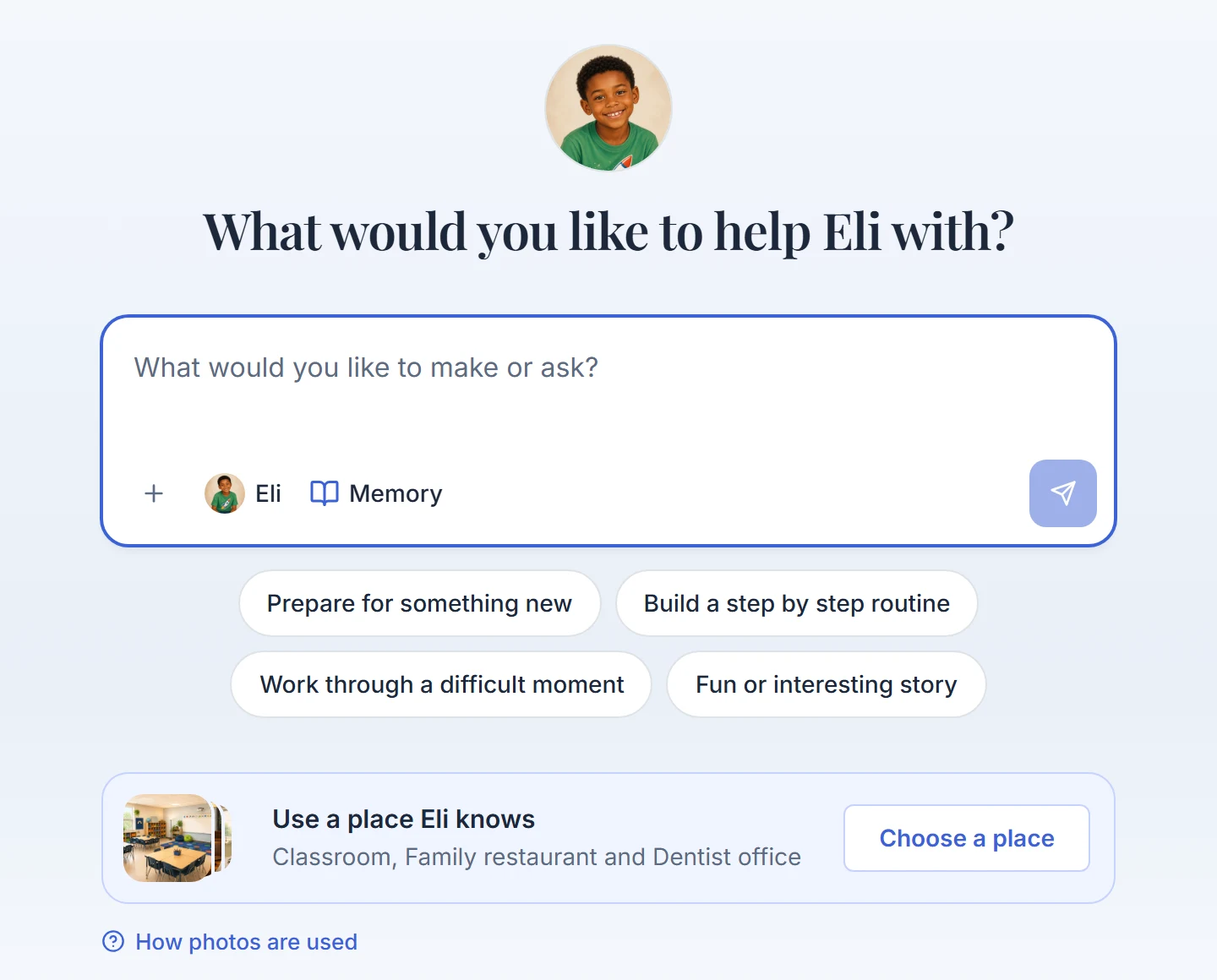
Step 1: Say what you need
Tap a starting point or type in your own words, including a request for a Token Board.
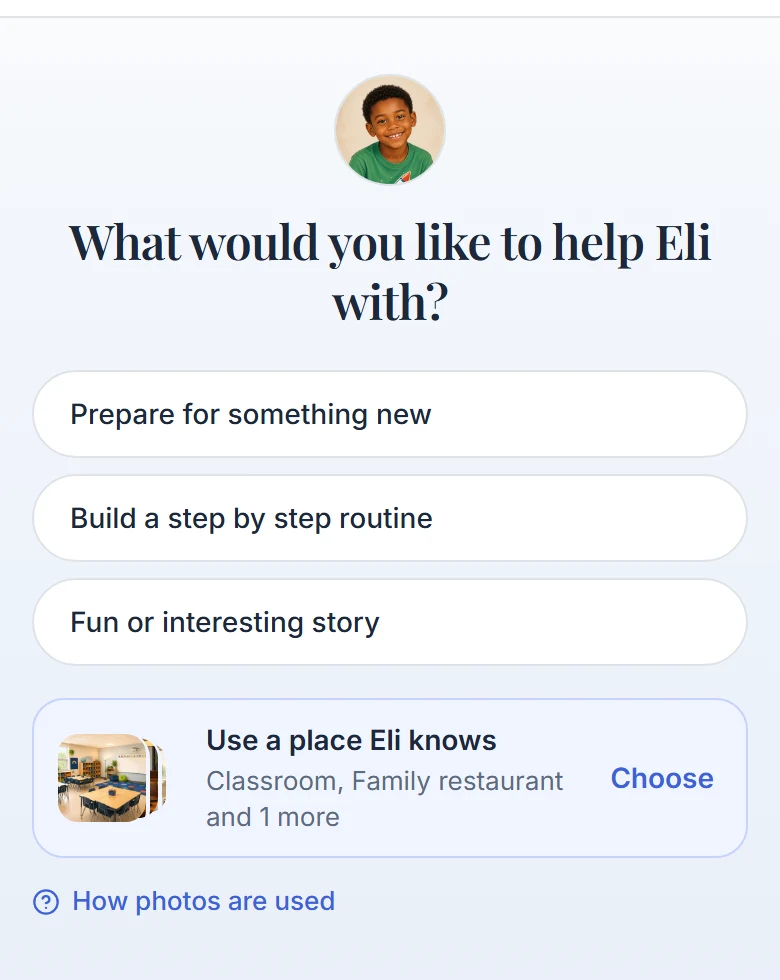
Starting points on the first screen of the chat. Step 2: Answer what it still needs
The assistant asks one question per turn, and only about things it cannot safely assume. A detailed request can go straight to a draft.
Step 3: Check the draft
A Story or Routine comes back as a preview card you can edit. A Token Board comes back as a short summary.
Step 4: Confirm
Press Create story or Create routine, or reply yes to a Token Board summary. Pictures and audio are made only after this.
One chat makes one Journey
After you press Create, that chat becomes the place to change what it made. Ask it for something new and it offers two choices: start a new chat, or change the Journey it already made.
You can also ask it how the app works
Ask where something is or whether the app can do something. The chat shows "Checking the help guide..." and answers in ordinary chat text. Questions about prices or billing get one line pointing to Account.
Starting from a holiday moment
A moment you pick on the holiday page stays with you through sign-in and setup. Once the person's avatar is ready, the chat starts with it. You still review the draft before anything is made.
Good to know
- Chat is the only way to create. There are no builder screens.
- You can send up to 20 messages a minute. Normal back-and-forth does not reach that.
- Some questions come with reply pills. A pill that is a full answer sends when you tap it. A pill ending in "..." drops into the message box for you to finish.
Did this answer your question?
Still stuck?
Contact support and a person will answer.